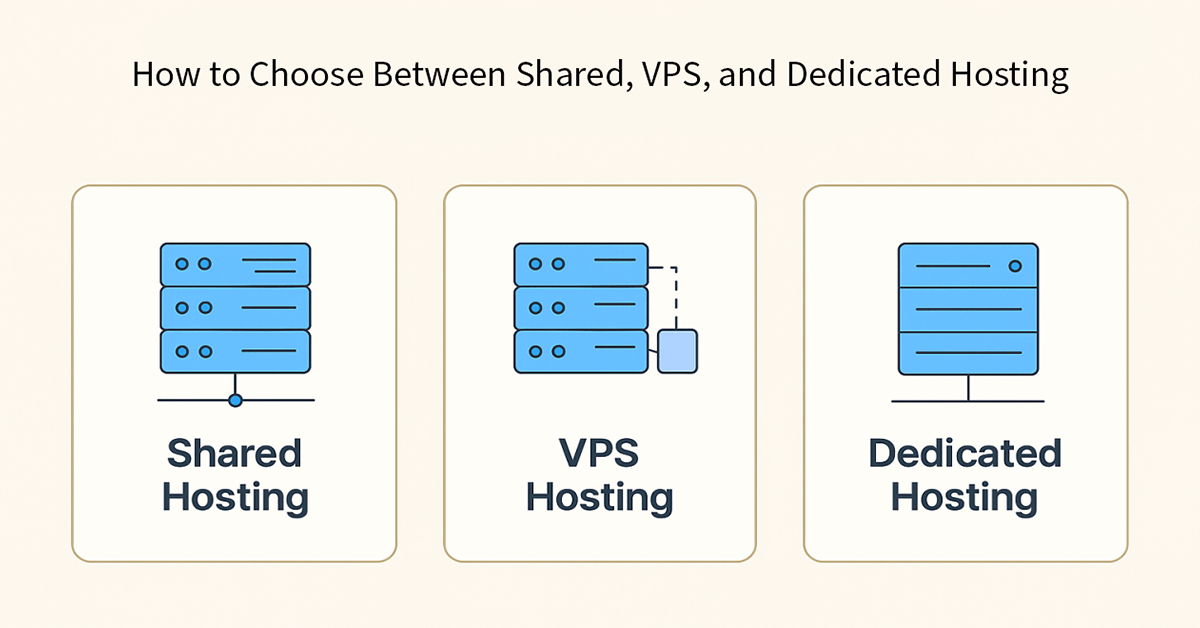
Choosing the right web hosting isn’t just a technical decision it’s a strategic one. The hosting type you select directly impacts your website’s speed, uptime, security, scalability, and costs. Whether you’re launching a blog, scaling an online store, or running a high-traffic application, understanding shared vs VPS vs dedicated hosting is essential to avoid bottlenecks and ensure a smooth user experience.
In this expert guide, we’ll break down what each hosting type offers, who it’s best for, how to compare performance and security, and how to make a confident final choice.
What Is Web Hosting and Why It Matters?
Web hosting is the infrastructure that stores your website’s files and makes them accessible on the internet. Think of it like renting space on a server. Your choice of hosting determines:
- Page load speed and responsiveness
- Ability to handle traffic spikes
- Security controls and data protection
- Long-term scalability and costs
Make the right call now, and you’ll reduce headaches later like downtime during peak traffic, slow pages that hurt SEO, or unexpected upgrade costs.
Shared vs VPS vs Dedicated Hosting: Clear Definitions
Shared Hosting
What it is: Multiple websites share the same physical server and resources (CPU, RAM, storage, bandwidth).
Use case: Entry-level hosting for small sites with modest traffic.
Pros:
- Most affordable option
- Easy to set up; beginner-friendly
- Managed environment with minimal maintenance
Cons:
- Limited performance; resources are shared
- Less control over server configuration
- Potential “noisy neighbor” effect other sites can impact speed
- Lower security isolation compared to VPS/dedicated
VPS (Virtual Private Server) Hosting
What it is: A single physical server is partitioned into multiple virtual machines. You get dedicated slices of resources and root-level control.
Use case: Growing sites that need more performance, control, and reliability.
Pros:
- Better performance and stability than shared
- Dedicated resource allocation (CPU/RAM)
- Higher security isolation
- Greater control over software stack and configurations
Cons:
- More expensive than shared
- Requires some technical knowledge
- Resource limits still exist scaling may require plan upgrades
Dedicated Hosting
What it is: You lease an entire physical server. All resources belong to your website/application.
Use case: High-traffic, mission-critical systems needing maximum performance and control.
Pros:
- Best-in-class performance and uptime
- Full control over hardware and software
- Strongest isolation and security potential
- Suitable for custom workloads (databases, specialized apps)
Cons:
- Highest cost tier
- Requires server administration expertise
- Overkill for small or medium sites
- Longer provisioning and maintenance cycles
Who Should Choose Which Hosting Type?
Based on Website Size
- Small sites/blogs (≤50 pages): Shared
- Medium sites/business sites (50–500 pages): VPS
- Large sites/enterprise portals (500+ pages): VPS or Dedicated, depending on traffic and complexity
Based on Traffic Volume
- Low traffic (≤5,000 visits/month): Shared
- Moderate traffic (5,000–100,000 visits/month): VPS
- High traffic (100,000+ visits/month): Dedicated or high-end VPS with autoscaling
Based on Budget
- Strict budget: Shared hosting
- Balanced cost vs performance: VPS hosting
- Performance-first, budget-flexible: Dedicated hosting
Based on Security Needs
- Basic security (blogs/portfolios): Shared
- Enhanced security (business sites, small eCommerce): VPS
- Stringent security (eCommerce at scale, healthcare, finance): Dedicated (with hardened configs, compliance)
Based on Performance Requirements
- Static content/occasional posts: Shared
- Dynamic content/apps, multiple plugins, moderate DB activity: VPS
- Heavy workloads, custom software, real-time apps: Dedicated
Performance, Security, and Scalability: Side-by-Side Comparison
| Feature | Shared Hosting | VPS Hosting | Dedicated Hosting |
|---|---|---|---|
| Performance | Basic; resource contention likely | High; dedicated slices of CPU/RAM | Excellent; full hardware control and capacity |
| Security | Standard; less isolation | Stronger isolation; configurable firewalls | Highest isolation; tailored hardening |
| Scalability | Limited; upgrade to higher shared tiers | Flexible; vertical scaling within plan | High; vertical scaling (hardware) + clustering |
| Control | Minimal; managed environment | Root access; custom stack options | Full control over OS, hardware, and network |
| Reliability | Good for small sites | Good to excellent | Excellent; ideal for mission-critical workloads |
| Cost | Lowest | Mid-range | Highest |
| Use Case | Blogs, portfolios, small local businesses | SMBs, growing eCommerce, SaaS prototypes | Enterprise, high-traffic media, complex apps |
Cost Considerations (General Guidance)
- Shared Hosting: Lowest monthly fees; ideal for tight budgets and simple sites. Expect resource limits and upgrade nudges as you grow.
- VPS Hosting: Mid-range pricing; cost-effective balance of performance, isolation, and control. Suitable for scaling teams.
- Dedicated Hosting: Premium pricing; hardware leasing plus potential add-ons (managed services, backups, security suites). Best for predictable high traffic, compliance, or custom workloads.
Hidden costs to watch:
- Backup and restore services
- Managed support or sysadmin hours
- Security add-ons (WAF, DDoS protection, SSL types beyond basic)
- Storage and bandwidth overages
- Staging environments or additional IPs
Tips for Making the Final Decision (Step-by-Step)
- Define your core requirements.
- Traffic targets, content type (static vs dynamic), expected growth, uptime needs.
- Audit your tech stack.
- CMS (WordPress, Drupal), database load, caching needs, background jobs.
- Map performance expectations.
- Page load targets (<2–3 seconds), concurrency, peak hour behavior.
- Set a realistic budget.
- Include hosting + backups + security + maintenance.
- Choose your control level.
- Need root access or prefer a fully managed environment?
- Plan for scalability.
- Can you vertically scale (more CPU/RAM) or horizontally scale (load balancers, multiple nodes)?
- Prioritize security.
- SSL, firewall rules, isolation, update cadence, access controls.
- Check support quality.
- 24/7 support, SLAs, response times, and expertise.
- Shortlist providers and test.
- Use trials or staging to benchmark performance.
- Decide and document.
- Capture your architecture, backup policy, and upgrade path to avoid future surprises.
Common Mistakes to Avoid When Choosing Hosting
- Choosing purely on price and ignoring performance and security implications
- Underestimating traffic spikes (launches, campaigns, holiday seasons)
- Skipping backups and monitoring until a crisis happens
- Failing to plan scalability—no clear upgrade path or autoscaling strategy
- Ignoring support quality and SLAs (response times matter during incidents)
- Over-provisioning too early—paying for dedicated when a well-tuned VPS would do
- Neglecting security basics—patching, firewall rules, and least-privilege access
How to Choose Hosting: Practical Scenarios
- New blog or portfolio: Start with shared hosting. Upgrade when load times suffer or plugins grow.
- Growing business site or small eCommerce: Go for VPS hosting for better stability, security, and control.
- High-traffic store, media site, custom application: Choose dedicated hosting (or advanced VPS with clustering) for consistent performance and security.
Conclusion
If you’re just starting and want the best hosting for website budgets, shared hosting is fine. As your site grows and performance matters more, VPS hosting strikes the ideal balance of cost, control, and scalability. For mission-critical, high-traffic applications where downtime is unacceptable, dedicated hosting delivers maximum reliability and customization.